Lava Ajax Search 1.1.2
Does Lava Ajax Search work with WordPress 4.9.1 and PHP 7.0.16? A smoke test was performed on .
Summary
Errors
| No PHP errors, warnings or notices | |
| No JavaScript exceptions | |
| All test pages loaded successfully | |
| No resource errors | |
| Looks good! No problems were detected. |
Performance
Memory usage: 86.72 KiB
The average PHP memory usage increased by this amount after activating by the plugin.
Page speed impact:
insignificant.
The plugin didn't make the site noticeably slower.
Environment
| WordPress version | 4.9.1 |
|---|---|
| PHP version | 7.0.16 |
| MySQL version | 5.7.17 |
| PHP memory limit | 256M |
Plugin Info
| Last updated | |
|---|---|
| Active installs | 900+ |
| WordPress.org page | https://wordpress.org/plugins/lava-ajax-search/ |
| Badges |
|


Pages 3
Plugins ‹ Test site — WordPress
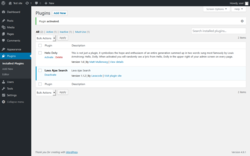
| URL | /wp-admin/plugins.php?activate=true&plugin_status=all&paged=1&s= |
|---|---|
| Requested URL | /wp-admin/plugins.php?action=activate&plugin=lava-ajax-search%2Flava-ajax-search.php&plugin_status=all&paged=1&s&_wpnonce=0878813a4d |
| Aspect | after-activation |
| HTTP status | 200 OK |
| Load time | 0.133 s |
| Memory usage | 3.05 MiB |
| JS errors | None |
| Resource errors | None |
Settings → Lava Ajax Search
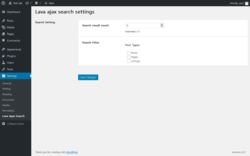
| URL | /wp-admin/options-general.php?page=lava-ajax-search |
|---|---|
| Aspect | menu-item |
| HTTP status | 200 OK |
| Load time | 0.066 s |
| Memory usage | 3.07 MiB |
| JS errors | None |
| Resource errors | None |
Test site – Just another WordPress site
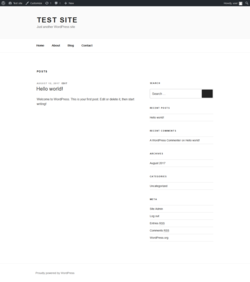
| URL | / |
|---|---|
| Aspect | front-page |
| HTTP status | 200 OK |
| Load time | 0.088 s |
| Memory usage | 2.84 MiB |
| JS errors | None |
| Resource errors | None |
Benchmark
| URL | Load time | Memory usage | ||||
|---|---|---|---|---|---|---|
| Inactive | Active | Change | Inactive | Active | Change | |
| /wp-admin/index.php | 0.162 s | 0.107 s | -0.055 s | 2.98 MiB | 3.1 MiB | + 121.07 KiB |
| /wp-admin/edit.php | 0.111 s | 0.118 s | +0.007 s | 3.01 MiB | 3.12 MiB | + 121.05 KiB |
| /wp-admin/post-new.php | 0.177 s | 0.184 s | +0.007 s | 3.08 MiB | 3.2 MiB | + 128.22 KiB |
| /wp-admin/upload.php | 0.119 s | 0.097 s | -0.022 s | 2.91 MiB | 2.97 MiB | + 56.96 KiB |
| /wp-admin/options-writing.php | 0.078 s | 0.079 s | +0.001 s | 2.9 MiB | 2.96 MiB | + 56.96 KiB |
| /wp-admin/media-new.php | 0.050 s | 0.075 s | +0.025 s | 2.89 MiB | 2.95 MiB | + 56.96 KiB |
| /wp-admin/edit-tags.php?taxonomy=category | 0.094 s | 0.082 s | -0.012 s | 2.93 MiB | 2.99 MiB | + 56.96 KiB |
| /wp-admin/post-new.php?post_type=page | 0.191 s | 0.179 s | -0.012 s | 3.08 MiB | 3.2 MiB | + 120.96 KiB |
| /wp-admin/options-discussion.php | 0.074 s | 0.073 s | -0.001 s | 2.9 MiB | 2.95 MiB | + 56.96 KiB |
| /wp-admin/edit-comments.php | 0.076 s | 0.102 s | +0.026 s | 2.94 MiB | 2.99 MiB | + 56.96 KiB |
| / | 0.086 s | 0.141 s | +0.055 s | 2.72 MiB | 2.84 MiB | + 120.83 KiB |
| Average | 0.111 s | 0.112 s | +0.002 s | 2.94 MiB | 3.02 MiB | + 86.72 KiB |
Additions
Things that the plugin adds to the site. This section is not intended to be comprehensive. The test tool only looks for a few specific types of added content.
No new entries found.
PHP Error Log
The log file is empty.