SEO & redirect 1.5.1.1
Does Redirect Editor work with WordPress 4.9.2 and PHP 7.0.16? A smoke test was performed on .
Summary
Errors
| 2 | WordPress deprecation warnings |
| No JavaScript exceptions | |
| All test pages loaded successfully | |
| No resource errors |
Performance
Memory usage: 7.49 KiB
The average PHP memory usage increased by this amount after activating by the plugin.
Page speed impact:
insignificant.
The plugin didn't make the site noticeably slower.
Environment
| WordPress version | 4.9.2 |
|---|---|
| PHP version | 7.0.16 |
| MySQL version | 5.7.17 |
| PHP memory limit | 256M |
Plugin Info
| Last updated | |
|---|---|
| Active installs | 900+ |
| WordPress.org page | https://wordpress.org/plugins/redirect-editor/ |
| Badges |
|


Pages 3
Plugins ‹ Test site — WordPress
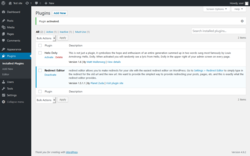
| URL | /wp-admin/plugins.php?activate=true&plugin_status=all&paged=1&s= |
|---|---|
| Requested URL | /wp-admin/plugins.php?action=activate&plugin=redirect-editor%2Fredirect-editor.php&plugin_status=all&paged=1&s&_wpnonce=63eb176611 |
| Aspect | after-activation |
| HTTP status | 200 OK |
| Load time | 0.131 s |
| Memory usage | 2.94 MiB |
| JS errors | None |
| Resource errors | None |
Settings → Redirect Editor
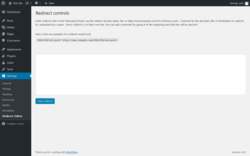
| URL | /wp-admin/options-general.php?page=redirect-editor |
|---|---|
| Aspect | menu-item |
| HTTP status | 200 OK |
| Load time | 0.079 s |
| Memory usage | 2.99 MiB |
| JS errors | None |
| Resource errors | None |
Test site – Just another WordPress site
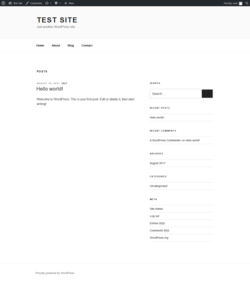
| URL | / |
|---|---|
| Aspect | front-page |
| HTTP status | 200 OK |
| Load time | 0.115 s |
| Memory usage | 2.72 MiB |
| JS errors | None |
| Resource errors | None |
Benchmark
| URL | Load time | Memory usage | ||||
|---|---|---|---|---|---|---|
| Inactive | Active | Change | Inactive | Active | Change | |
| /wp-admin/index.php | 0.157 s | 0.103 s | -0.054 s | 2.98 MiB | 2.99 MiB | + 7.66 KiB |
| /wp-admin/edit.php | 0.117 s | 0.098 s | -0.019 s | 3 MiB | 3.01 MiB | + 7.65 KiB |
| /wp-admin/post-new.php | 0.195 s | 0.222 s | +0.027 s | 3.07 MiB | 3.09 MiB | + 14.09 KiB |
| /wp-admin/upload.php | 0.104 s | 0.131 s | +0.027 s | 2.91 MiB | 2.91 MiB | + 6.83 KiB |
| /wp-admin/options-writing.php | 0.086 s | 0.089 s | +0.003 s | 2.9 MiB | 2.91 MiB | + 6.83 KiB |
| /wp-admin/media-new.php | 0.054 s | 0.089 s | +0.035 s | 2.89 MiB | 2.9 MiB | + 6.83 KiB |
| /wp-admin/edit-tags.php?taxonomy=category | 0.106 s | 0.089 s | -0.017 s | 2.93 MiB | 2.94 MiB | + 6.83 KiB |
| /wp-admin/post-new.php?post_type=page | 0.194 s | 0.176 s | -0.018 s | 3.08 MiB | 3.08 MiB | + 6.83 KiB |
| /wp-admin/options-discussion.php | 0.092 s | 0.077 s | -0.015 s | 2.89 MiB | 2.9 MiB | + 6.83 KiB |
| /wp-admin/edit-comments.php | 0.095 s | 0.126 s | +0.031 s | 2.93 MiB | 2.94 MiB | + 6.83 KiB |
| / | 0.103 s | 0.114 s | +0.011 s | 2.72 MiB | 2.73 MiB | + 5.18 KiB |
| Average | 0.118 s | 0.119 s | +0.001 s | 2.94 MiB | 2.94 MiB | + 7.49 KiB |
Additions
Things that the plugin adds to the site. This section is not intended to be comprehensive. The test tool only looks for a few specific types of added content.
No new entries found.
PHP Error Log 2 lines
[17-Jan-2018 14:51:34 UTC] PHP Notice:  screen_icon is <strong>deprecated</strong> since version 3.8.0 with no alternative available. in /wp-includes/functions.php on line 3842
[17-Jan-2018 14:51:34 UTC] PHP Notice:  get_screen_icon is <strong>deprecated</strong> since version 3.8.0 with no alternative available. in /wp-includes/functions.php on line 3842