Note: Third-party libraries and minified JS/CSS files are excluded from these statistics where
possible, so the numbers you see here may be lower than those reported by other tools.
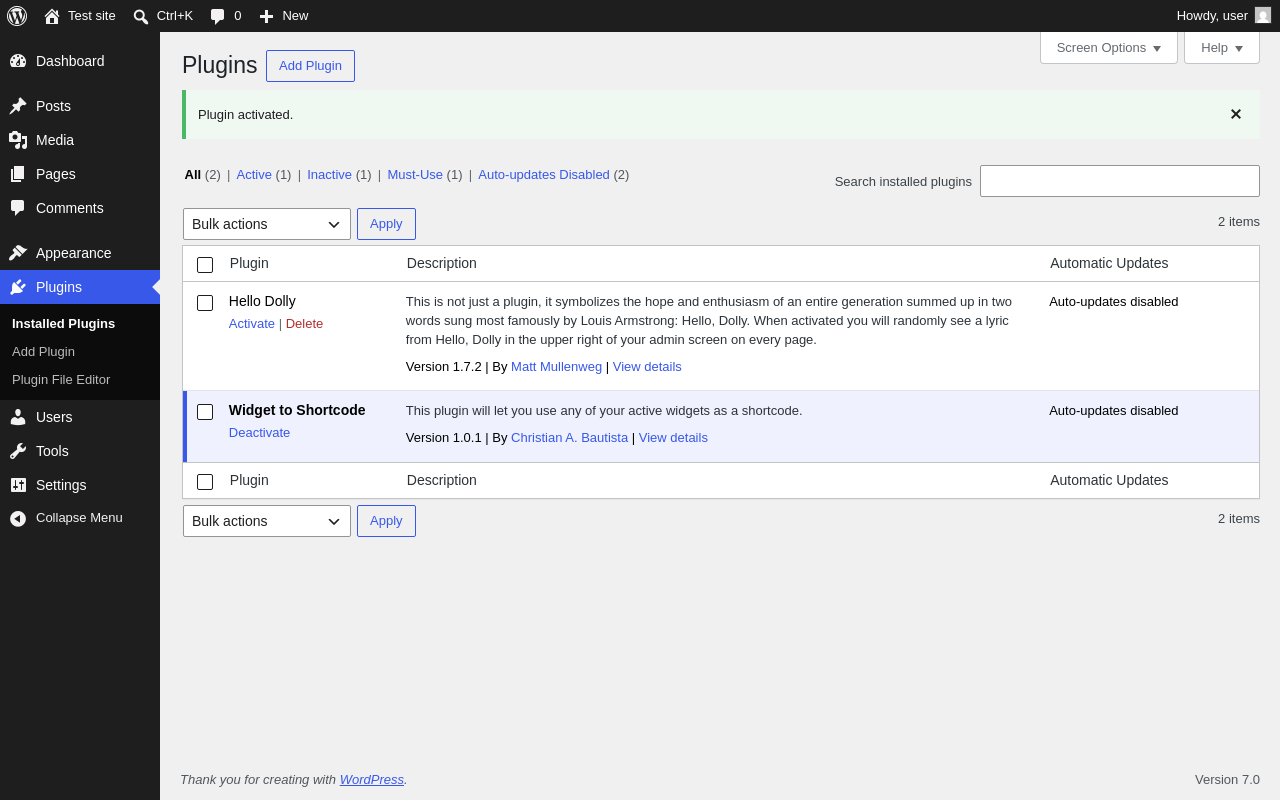
Things that the plugin adds to the site. This section is not intended to be comprehensive.
The test tool only looks for a few specific types of added content.
No new entries found.
PHP Error Log 790 lines
[08-Jun-2026 16:50:30 UTC] WP_Screen Object
(
[action] =>
[base] => plugins
[columns:WP_Screen:private] => 0
[id] => plugins
[in_admin:protected] => site
[is_network] =>
[is_user] =>
[parent_base] => plugins
[parent_file] => plugins.php
[post_type] =>
[taxonomy] =>
[_help_tabs:WP_Screen:private] => Array
(
[overview] => Array
(
[title] => Overview
[id] => overview
[content] => <p>Plugins extend and expand the functionality of WordPress. Once a plugin is installed, you may activate it or deactivate it here.</p><p>The search for installed plugins will search for terms in their name, description, or author. <span id="live-search-desc" class="hide-if-no-js">The search results will be updated as you type.</span></p><p>If you would like to see more plugins to choose from, click on the “Add Plugin” button and you will be able to browse or search for additional plugins from the <a href="https://wordpress.org/plugins/">WordPress Plugin Directory</a>. Plugins in the WordPress Plugin Directory are designed and developed by third parties, and are compatible with the license WordPress uses. Oh, and they are free!</p>
[callback] =>
[priority] => 10
)
[compatibility-problems] => Array
(
[title] => Troubleshooting
[id] => compatibility-problems
[content] => <p>Most of the time, plugins play nicely with the core of WordPress and with other plugins. Sometimes, though, a plugin’s code will get in the way of another plugin, causing compatibility issues. If your site starts doing strange things, this may be the problem. Try deactivating all your plugins and re-activating them in various combinations until you isolate which one(s) caused the issue.</p><p>If something goes wrong with a plugin and you cannot use WordPress, delete or rename that file in the <code>/wp-content/plugins</code> directory and it will be automatically deactivated.</p>
[callback] =>
[priority] => 10
)
[plugins-themes-auto-updates] => Array
(
[title] => Auto-updates
[id] => plugins-themes-auto-updates
[content] => <p>Auto-updates can be enabled or disabled for each individual plugin. Plugins with auto-updates enabled will display the estimated date of the next auto-update. Auto-updates depends on the WP-Cron task scheduling system.</p><p>Auto-updates are only available for plugins recognized by WordPress.org, or that include a compatible update system.</p><p>Please note: Third-party themes and plugins, or custom code, may override WordPress scheduling.</p>
[callback] =>
[priority] => 10
)
[plugins-dependencies] => Array
(
[title] => Dependencies
[id] => plugins-dependencies
[content] => <p>Plugin Dependencies aims to make the process of installing and activating add-ons (dependents) and the plugins they rely on (dependencies) consistent and easy.</p><p>If a required plugin is deleted, a notice will be displayed on the Plugin administration screen informing the user that there is some missing dependencies to install and/or activate. Additionally, each plugin whose dependencies are not met will have an error notice on their plugin row.</p><p>If a dependent plugin is missing some dependencies, its activation button will be disabled until the required dependencies are activated.</p>
[callback] =>
[priority] => 10
)
)
[_help_sidebar:WP_Screen:private] => <p><strong>For more information:</strong></p><p><a href="https://wordpress.org/documentation/article/manage-plugins/">Documentation on Managing Plugins</a></p><p><a href="https://wordpress.org/documentation/article/plugins-themes-auto-updates/">Documentation on Auto-updates</a></p><p><a href="https://wordpress.org/support/forums/">Support forums</a></p>
[_screen_reader_content:WP_Screen:private] => Array
(
[heading_views] => Filter plugins list
[heading_pagination] => Plugins list navigation
[heading_list] => Plugins list
)
[_options:WP_Screen:private] => Array
(
[per_page] => Array
(
[default] => 999
)
)
[_show_screen_options:WP_Screen:private] => 1
[_screen_settings:WP_Screen:private] =>
[is_block_editor] =>
)
[08-Jun-2026 16:50:32 UTC] WP_Screen Object
(
[action] =>
[base] => dashboard
[columns:WP_Screen:private] => 0
[id] => dashboard
[in_admin:protected] => site
[is_network] =>
[is_user] =>
[parent_base] => index
[parent_file] => index.php
[post_type] =>
[taxonomy] =>
[_help_tabs:WP_Screen:private] => Array
(
[overview] => Array
(
[title] => Overview
[id] => overview
[content] => <p>Welcome to your WordPress Dashboard!</p><p>The Dashboard is the first place you will come to every time you log into your site. It is where you will find all your WordPress tools. If you need help, just click the “Help” tab above the screen title.</p>
[callback] =>
[priority] => 10
)
[help-navigation] => Array
(+690 more lines)